Call Us
Planner · spreadsheet + PDF
Know the most you can pay for a sale, a lead or a booking
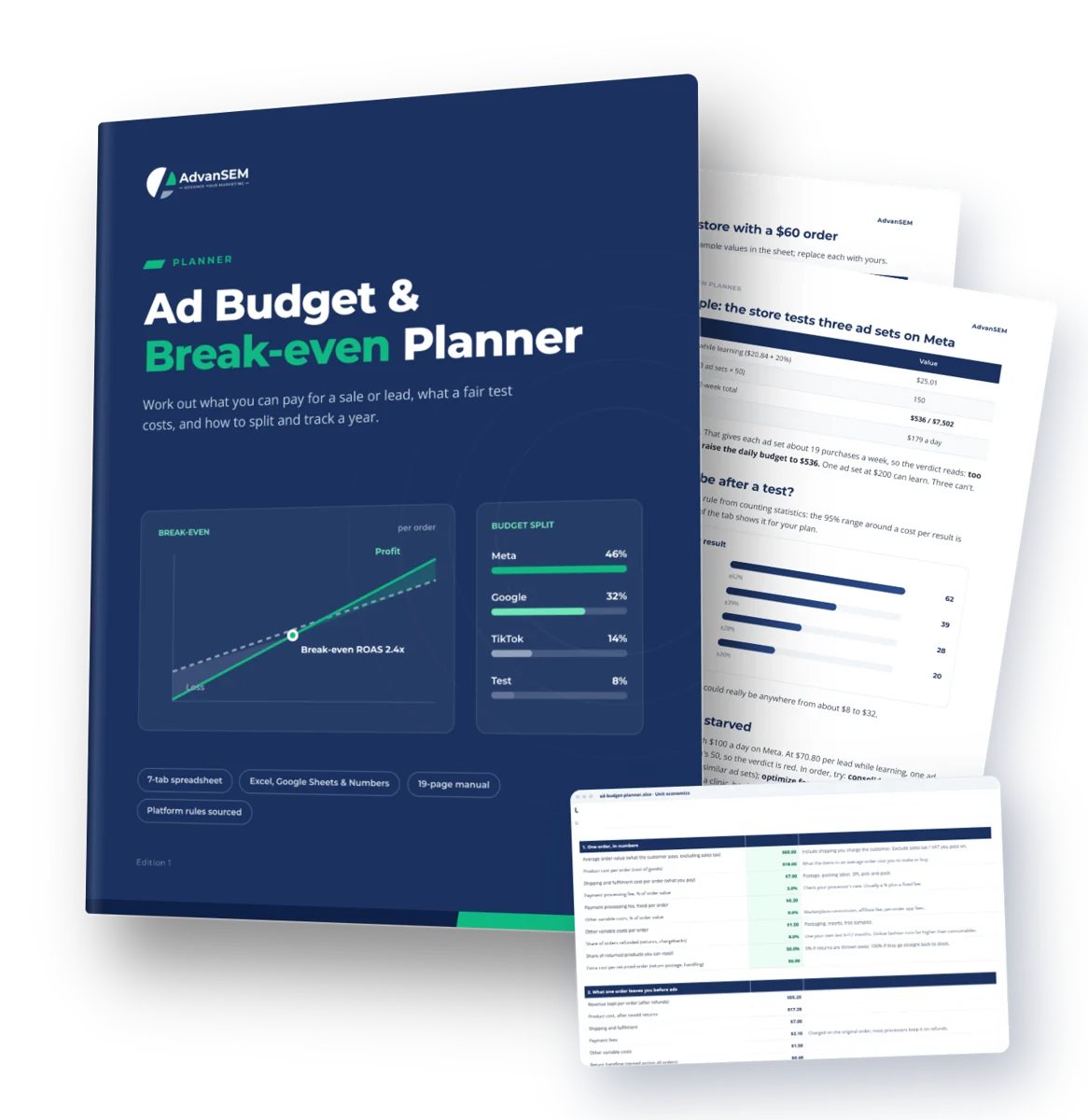
For online stores and lead or booking businesses running paid ads. Turn your margins into break-even and target costs, fair test budgets and a 12-month plan you can track.
7-tab spreadsheet19-page manualExcel, Sheets & NumbersPlatform rules sourced
- Break-even and target CPA and ROAS from your real costs, refunds and repeat orders
- Test budgets sized from Meta, Google, TikTok, Snapchat and LinkedIn's own learning guidance
- A 12-month plan across up to 5 platforms, with a green, amber and red monthly tracker
$29One-time · instant download
Work out your break-even number first, then set the budget.
- 7-tab spreadsheet and 19-page PDF manual
- Excel, Google Sheets and Apple Numbers, no macros
- Download links by email, yours to keep
- Free updates to this edition
Secure checkout by Stripe. Files arrive on screen and by email the moment you pay.
Sound familiar
Ad budgets set from round numbers and other people's benchmarks
Most budgets start from a figure that feels right, and the harder questions only come up once the money is spent.
A ROAS with no verdict
Is a ROAS of 2.5 good for us? I honestly can’t say whether we’re making money on it.
Benchmarks, not margins
Every article quotes a typical cost per sale, but none of them know our margins.
Tests that never settle
We split $100 a day across five ad sets, and none of them ever gets out of learning.
Cheap leads, unknown value
Our cost per lead looks low, but I can’t say what one lead is actually worth to us.
Costs left out of the sum
Refunds, fees and shipping come off every order, and our targets never counted them.
A budget set by feel
I pick next month’s budget by gut, then struggle to explain it to anyone else.
56%
of the 401 marketing leaders surveyed said they lack the budget to deliver their strategy, with budgets flat at 7.8% of revenue. When money is tight, every dollar needs a target.
Source: Gartner CMO Spend Survey
What you get
A spreadsheet that does the arithmetic, and a manual that explains it
Green cells are inputs and everything else is a formula, with example numbers already in place so you can see how it behaves before you type yours.
The planner (XLSX, 7 tabs)
Start here, Unit economics, Lead economics, Test budget, Monthly plan, Scenarios and Plan vs actual. 1,153 formulas, no macros.
The manual (PDF, 19 pages)
Six chapters on the thinking behind each tab, with an online store, a service business and a clinic worked through, plus 2 checklists and a worksheet.
Learning rules for 5 platforms
What Meta, Google, TikTok, Snapchat and LinkedIn say about learning and minimum budgets, with source links. Editable when a platform changes its advice.
Chapter by chapter
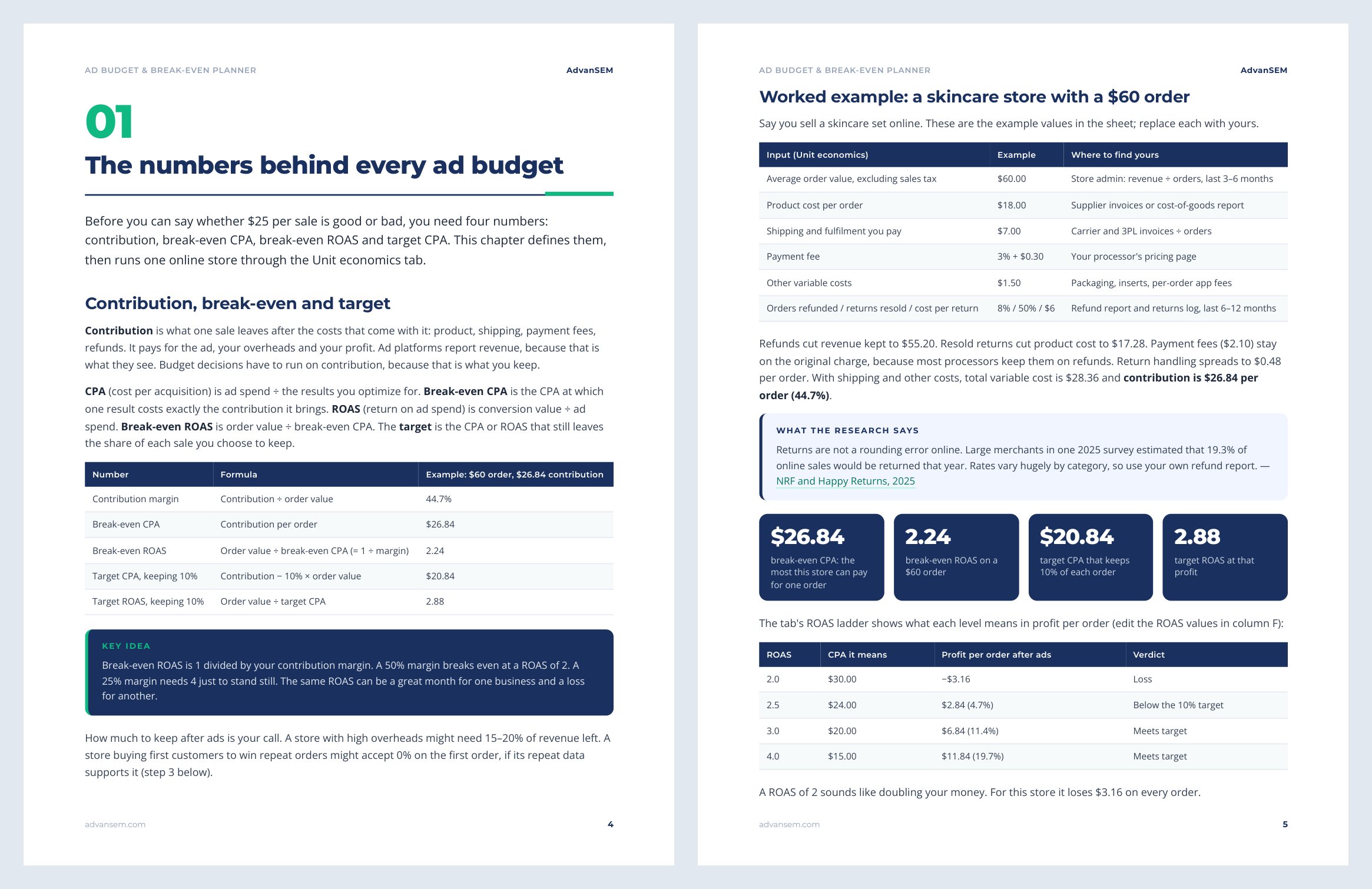
- The numbers behind every ad budget
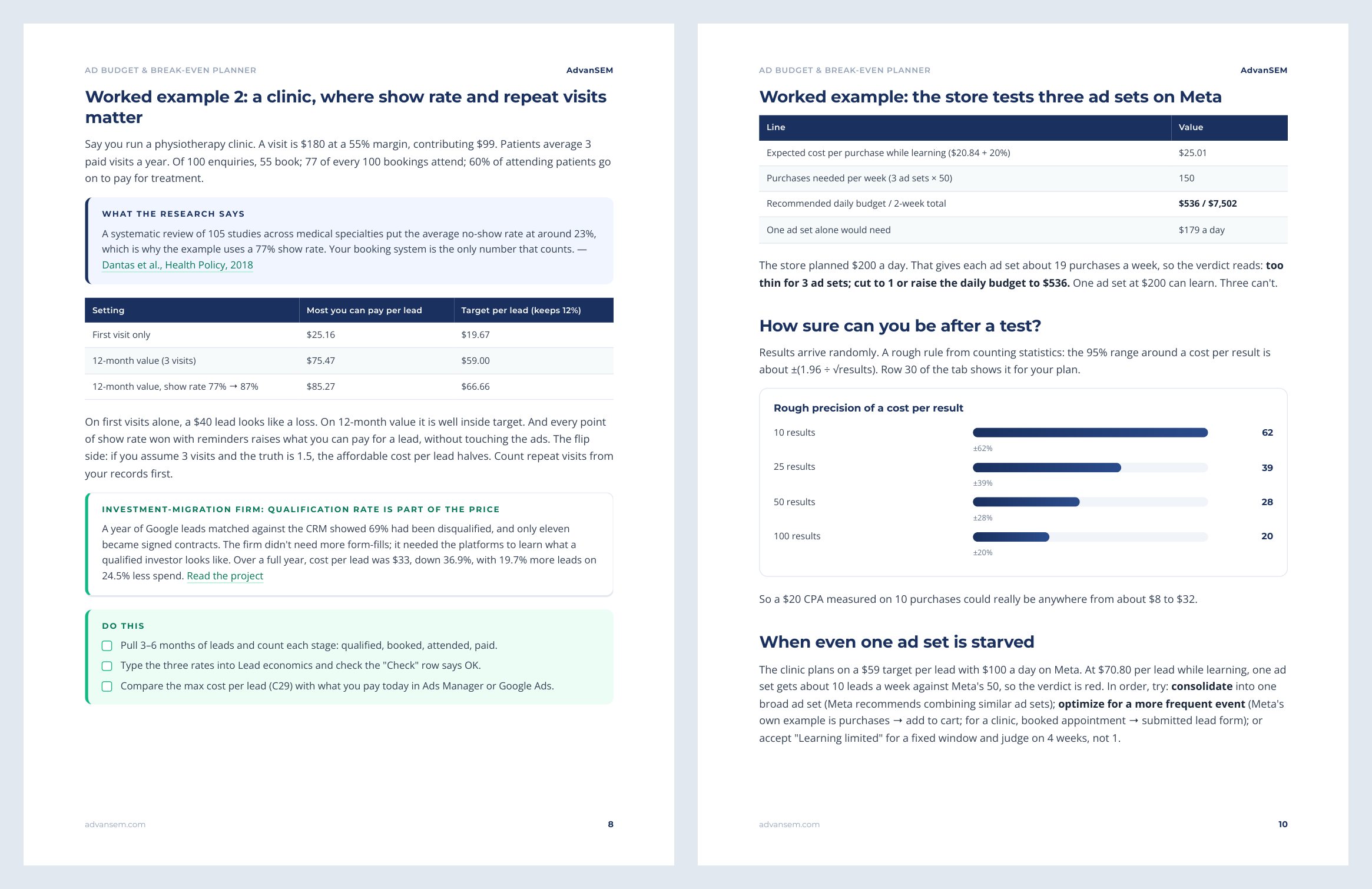
- Leads and bookings: what a lead is worth
- Test budgets: learning rules and no-history starts
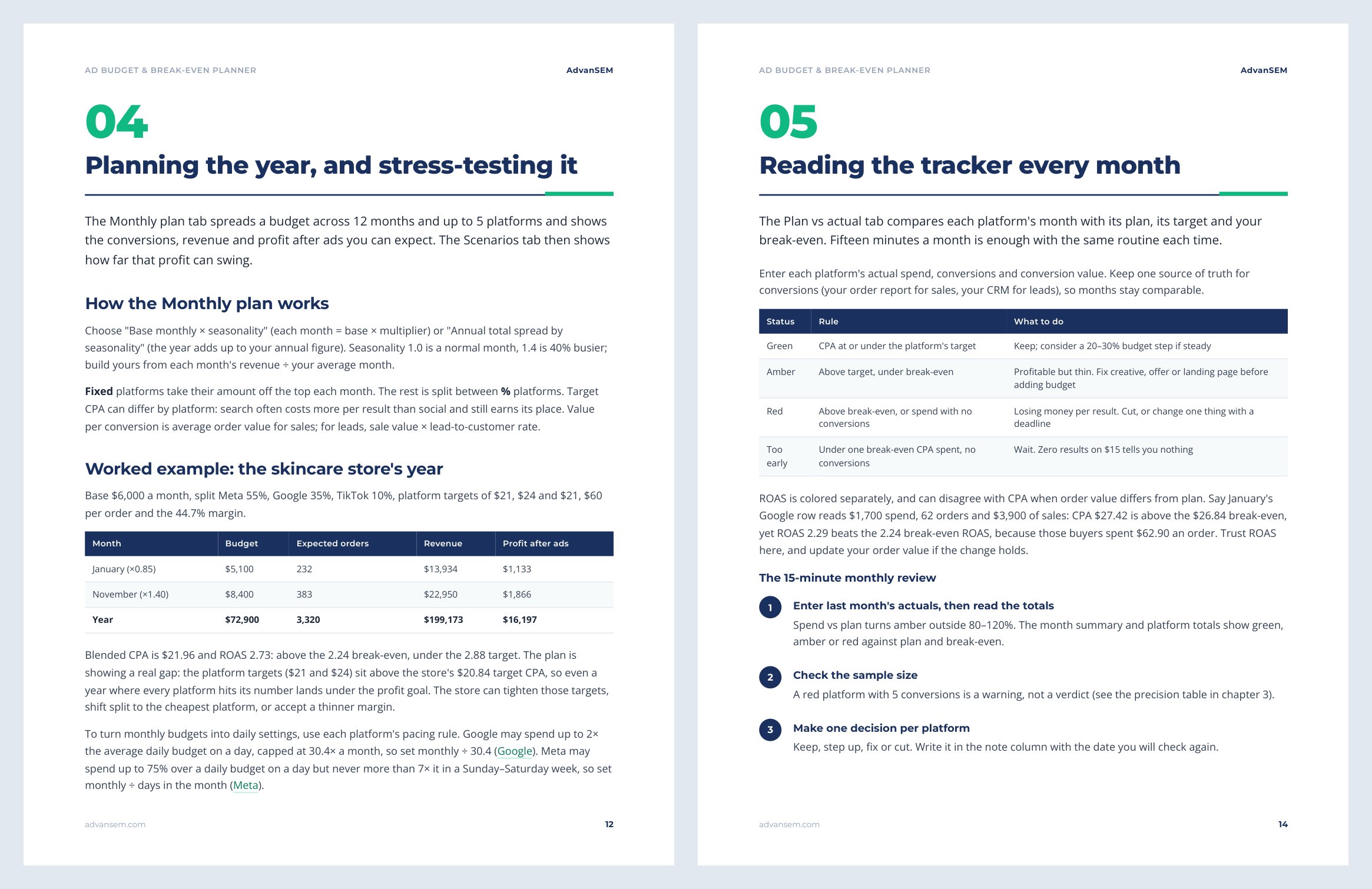
- Planning the year, and stress-testing it
- Reading the tracker every month
- Common mistakes, and what they cost
Look inside
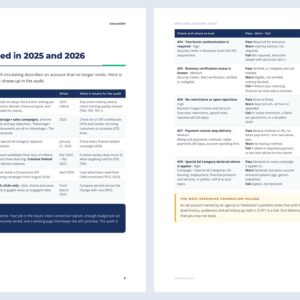
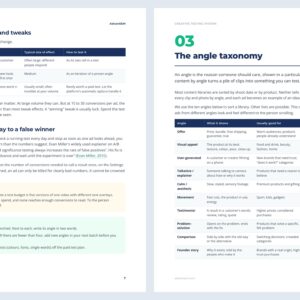
Real pages from the manual
The free sample covers chapter 1's four numbers, the online store worked example and the ROAS ladder.
After you work through it
What you will know after about an hour
- Your break-even and target CPA and ROAS, worked out from your own costs, refunds and margin
- The most you can pay per lead or booking once qualification, show and close rates are counted
- Whether your budget can feed the ad sets you want to test, or how many to cut
- A 12-month budget across up to 5 platforms, with seasonality and expected profit after ads
- A 15-minute monthly review that ends in one clear decision per platform
From our work
The same arithmetic we use with clients
Both projects appear in the manual and are written up on our site, with the numbers.
ONLINE SALES
1,651 orders in two months at a 5.07 return
An incense charcoal store selling $5 to $8 boxes started at a 0.79 return and finished at $6.98 per order.
LEAD GENERATION
Grades A to D close at 20 to 26%, grade E at 3%
A used-car dealer group’s 14,898 Meta leads showed that two leads at the same cost can differ in value seven to nine times over.
Is it right for you
Who gets the most from it
Made for you if
- You run an online store and advertise on Meta, Google or TikTok, or are about to start
- You generate leads or bookings, for example a clinic, studio, home services or B2B firm
- You are an in-house marketer or freelancer who needs to defend a budget
Probably not for you if
- You want creative, targeting or campaign-structure advice
- You run app-install campaigns or awareness budgets judged on reach
- Your team already uses media-mix modelling or a finance attribution model
How to use it
STEP 1
Your economics, 20 minutes
Fill in Unit economics for online sales, or Lead economics for leads and appointments.
STEP 2
Your first test, 10 minutes
The Test budget tab tells you whether your budget can feed the ad sets you want.
STEP 3
Your year, 15 minutes
Spread the budget across months and platforms, then compare the cautious, base and good scenarios.
STEP 4
Every month, 15 minutes
Type real results into Plan vs actual and write down one decision per platform.
Works in Excel, Google Sheets and Apple Numbers. No macros, no add-ons, no account to create. In Numbers the status colours drop, but the status words stay.
Questions
What owners and marketers ask before they download
What format is it, and what do I need to open it?
An .xlsx spreadsheet and a 19-page PDF manual. The spreadsheet opens in Microsoft Excel, Google Sheets and Apple Numbers. It uses no macros, add-ons or XLOOKUP, so older versions of Excel work too. In Google Drive, upload the file and open it with Sheets.
Who is it for?
Owners and marketers running paid ads for an online store or a lead or booking business who want a budget built from their own margins rather than benchmarks.
Does it work for leads and appointments, not just online sales?
Yes. The Lead economics tab works back from the sale through your qualification, show and close rates to the most you can pay per lead. The manual walks a service business and a clinic through it.
Do I need past ad data?
No. Your target comes from your own economics, and chapter 3 shows how to size a first test with no history. Google Ads itself lets you start Target CPA with no conversion history.
What if a platform changes its learning guidance?
Each platform value sits in an editable cell next to its source link, so you can update it yourself.
How do I receive it?
The download links appear on screen as soon as payment completes, and the same links arrive by email. They keep working, so you can download again later.
Instant download
Set your numbers before you set your budget
The 7-tab planner and the 19-page manual, delivered the moment you pay.
$29One-time · instant download
Work out your break-even number first, then set the budget.
- 7-tab spreadsheet and 19-page PDF manual
- Excel, Google Sheets and Apple Numbers, no macros
- Download links by email, yours to keep
- Free updates to this edition
Secure checkout by Stripe. Files arrive on screen and by email the moment you pay.
Pairs well with