Call Us
Tool unlock · key + PDF
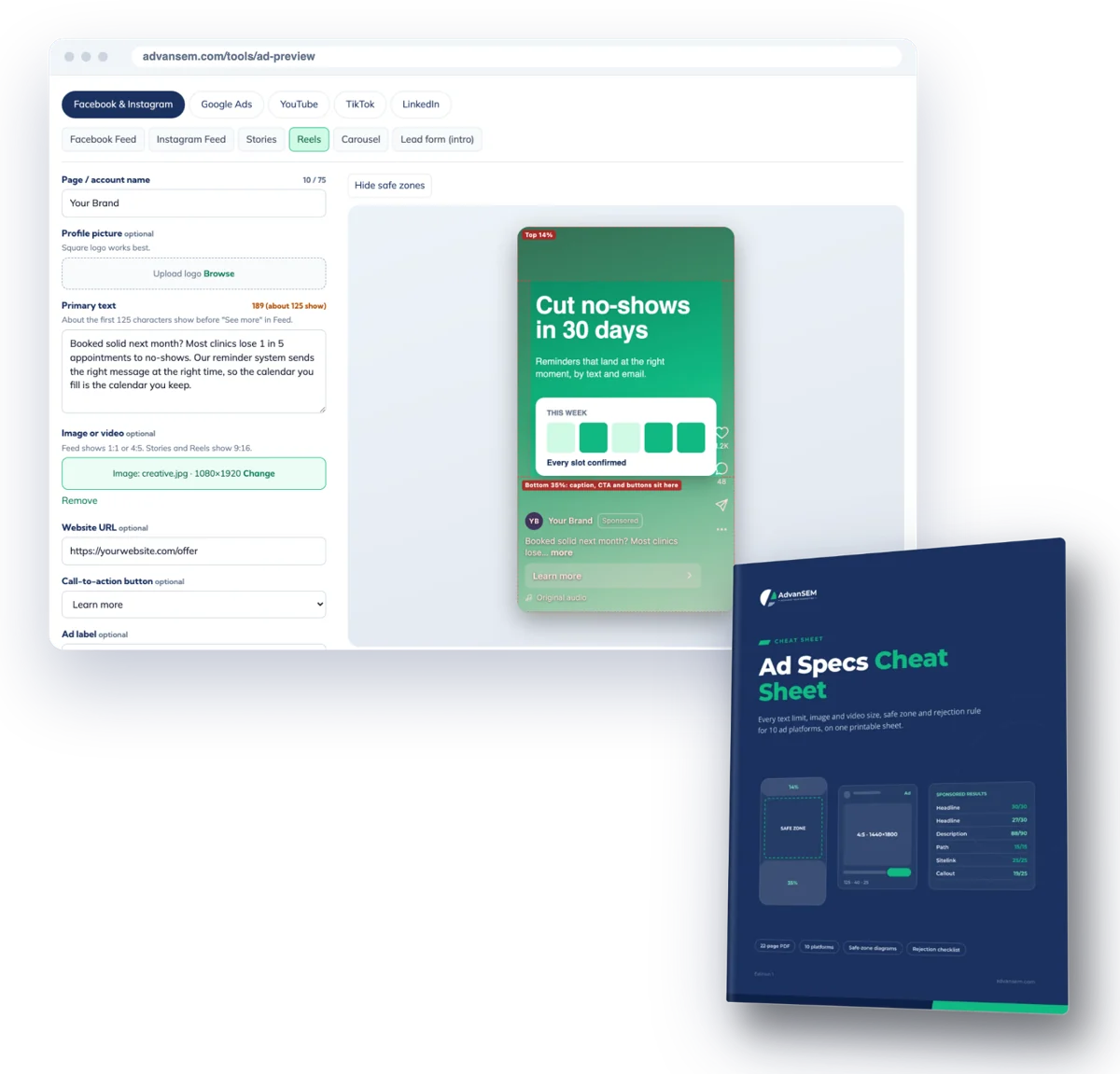
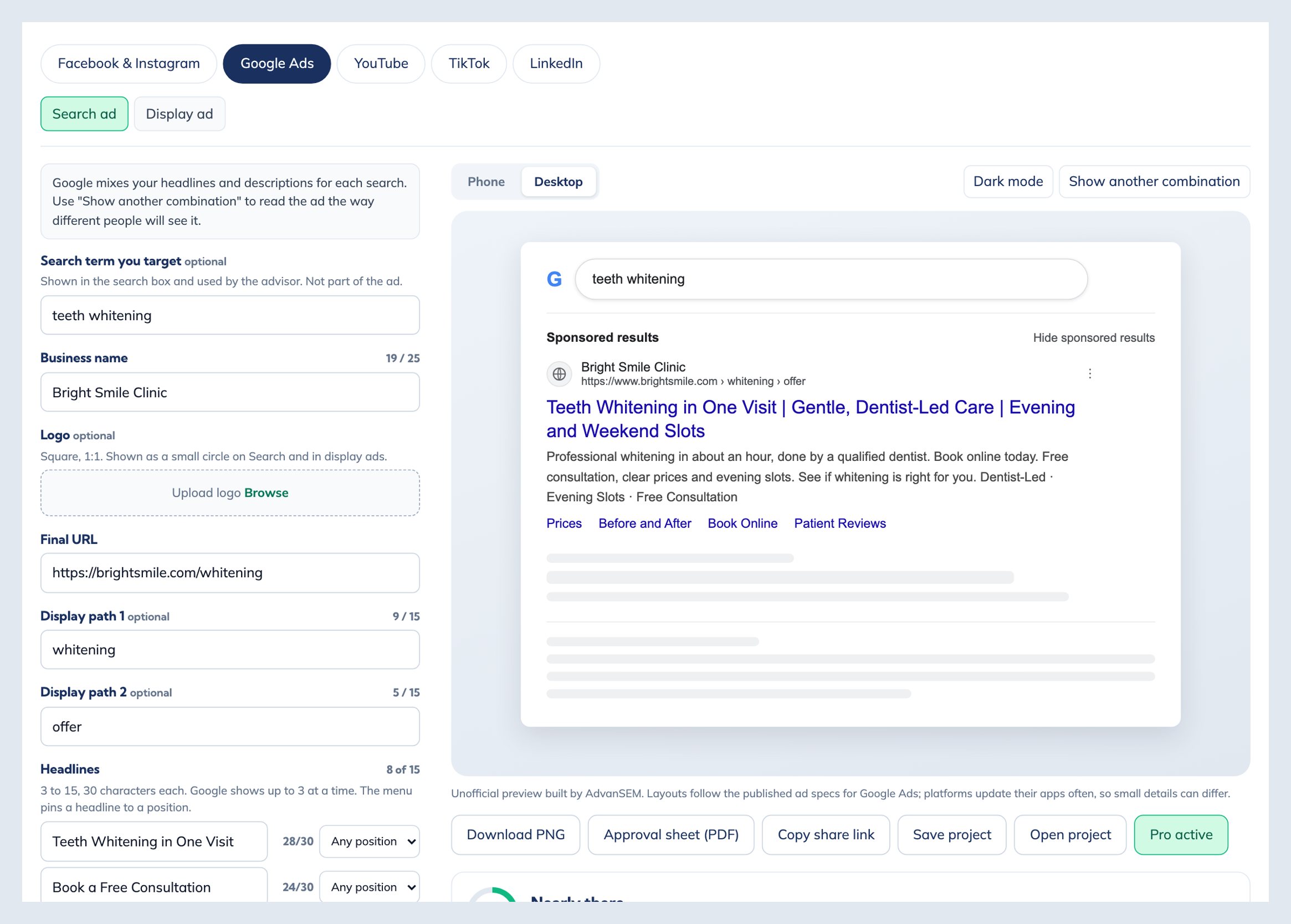
Ad previews you can send to a client
Pro removes the watermark from Ad Preview Studio, puts your company name on every approval sheet and saves your projects. It comes with a 22-page cheat sheet of ad specs for 10 platforms.
One-time $39Works on every browser you use22-page cheat sheet10 platforms
- Exports and approval sheets without the preview watermark
- Your company name on every approval sheet, so the PDF goes out as yours
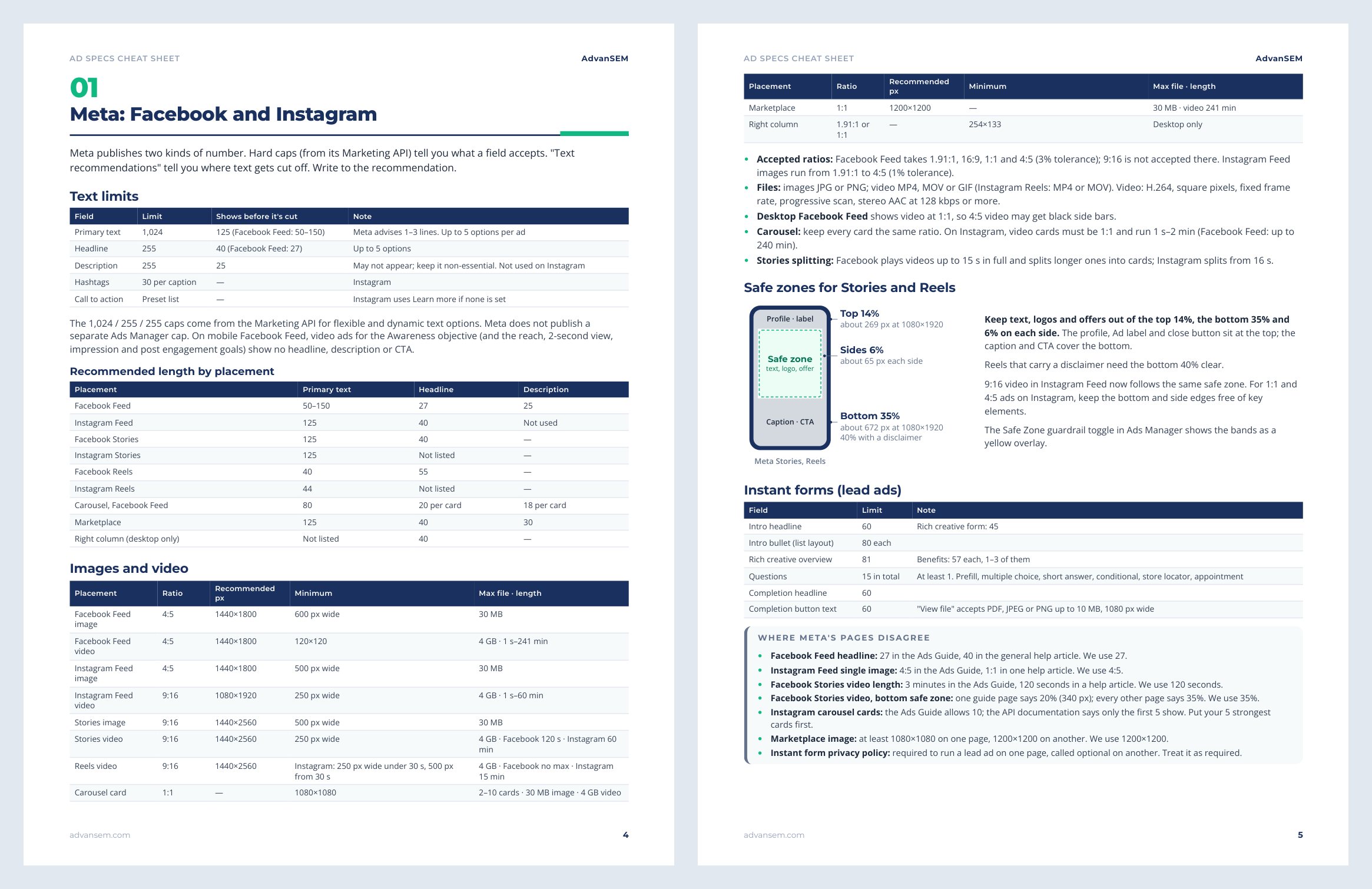
- Text limits, sizes, safe zones and rejection rules for 10 ad platforms in one PDF
$39One-time · instant download
Send clean previews under your own name.
- Pro key by email, works on every browser you use
- 22-page Ad Specs Cheat Sheet (PDF)
- One-time payment, no subscription
- Free updates to this edition
Secure checkout by Stripe. Files arrive on screen and by email the moment you pay.
Sound familiar
The ad is approved, then looks different on the phone
Most rework on ads comes from things nobody saw before launch: cut-off text, a cropped image, a logo under the buttons.
Screenshots in a slide deck
We mock ads up in slides, and they never look like the real thing on a phone.
Approval by email thread
Feedback comes back in five emails, and nobody is sure which version was approved.
Text cut off after launch
The headline looked fine in Ads Manager, then got cut off in the feed.
Logo under the buttons
Our Reels logo sat right under the caption and the call to action.
Specs from old blog posts
Every spec list we find online is a year old or disagrees with the next one.
A watermark on client work
Free mockup tools stamp their brand on the file we send to our client.
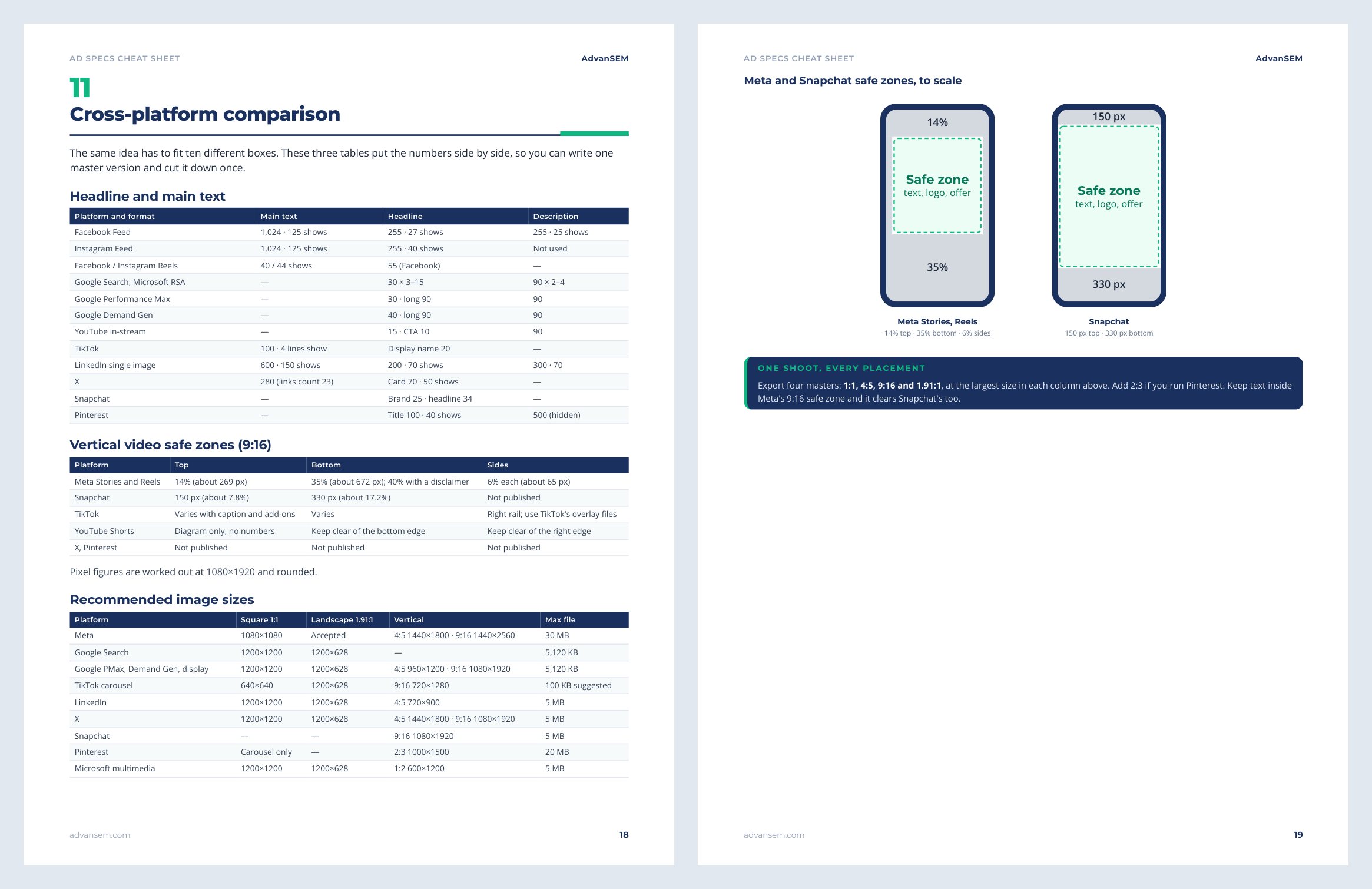
35%
of a Reels or Stories ad, at the bottom, is where the caption, buttons and call to action sit. Meta asks you to keep text and logos out of it, along with the top 14%.
Source: Meta Ads Guide
What you get
A Pro key for the tool, and a cheat sheet to keep
Your key appears on the order page and in your order email the moment you pay. The cheat sheet downloads with it.
Pro key
Open Ad Preview Studio, press Go Pro and paste the key. It switches on clean exports, your company name on approval sheets, and saving and opening projects.
Ad Specs Cheat Sheet (PDF, 22 pages)
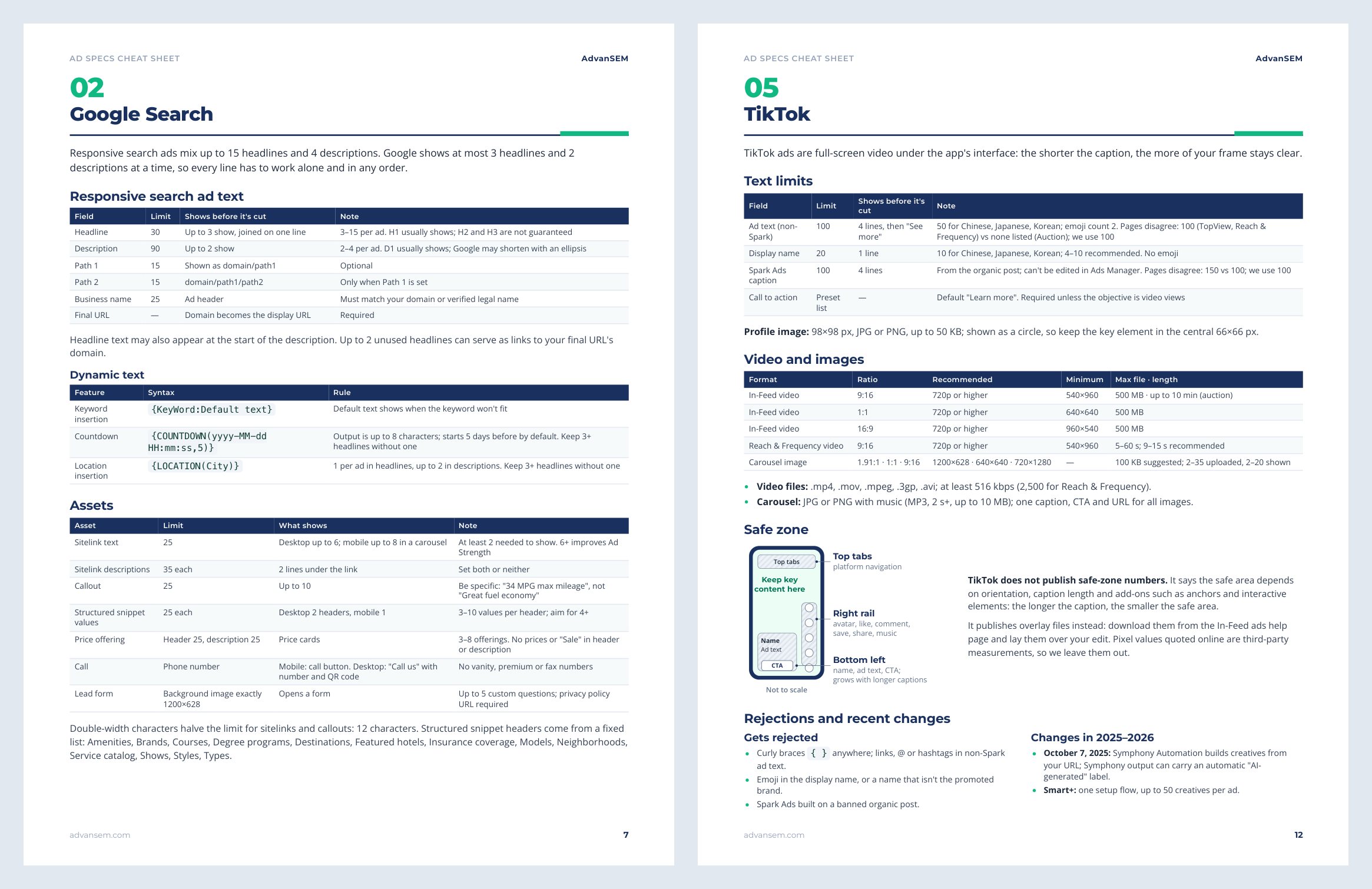
Text limits, image and video sizes, safe zones and rejection rules for 10 platforms, each figure checked against the platform’s own pages.
Before-you-launch checklist
A one-page list to run on any new ad, on any platform, in about 10 minutes.
Chapter by chapter
- How to read the specs, and how each platform counts characters
- Meta: Facebook and Instagram
- Google Search
- Google Display, Demand Gen and Performance Max
- YouTube
- TikTok
- X
- Snapchat
- Microsoft Ads
- All platforms side by side
- Before you launch: the checklist
Look inside
The tool and the cheat sheet
The free sample includes the cheat sheet's full Meta chapter.
After you work through it
What changes once Pro is on
- Clients and managers sign off on a clean preview of every placement, under your company name
- One PDF records what was approved, with the copy listed and a sign-off box
- Projects saved as files, so next month's version starts from this month's
- Specs for 10 platforms in one place, with the stricter figure wherever official pages disagree
Is it right for you
Who gets the most from it
Made for you if
- You are a freelancer or agency sending ad previews to clients
- You are an in-house marketer who needs sign-off from a manager
- You write ads for several platforms and want one trusted spec sheet
Probably not for you if
- You only need a quick look now and then: the free tool does that
- You need pixel-exact previews: use each platform's own preview for the last check
- You want ads written or launched for you
How it works
STEP 1
Pay once
Check out with your email. Your key and the cheat sheet arrive straight away.
STEP 2
Paste the key
In Ad Preview Studio press Go Pro, paste the key and press Activate.
STEP 3
Send clean previews
Export PNGs and approval sheets without the watermark, under your company name.
The key works on every browser you use. Activate it once in each browser.
Questions
What marketers ask before they upgrade
Is the tool itself free?
Yes. Ad Preview Studio is free to use, with no sign-up. Pro adds clean exports, your company name on approval sheets, saved projects and the cheat sheet.
How do I get my key?
It appears on the order page right after you pay and in your order email. You can also see it any time under My account, Orders.
Can I use the key on more than one computer?
Yes. Activate it once in each browser you use. It is for you or your team, not for resale.
Is this a subscription?
No. You pay once, and the key keeps working.
Are my ads or files uploaded anywhere?
No. Images and videos stay in your browser. Saved projects are files on your own computer, and they hold your text, not your images.
Instant download
Send your next preview without the watermark
Your Pro key and the Ad Specs Cheat Sheet, delivered the moment you pay.
$39One-time · instant download
Send clean previews under your own name.
- Pro key by email, works on every browser you use
- 22-page Ad Specs Cheat Sheet (PDF)
- One-time payment, no subscription
- Free updates to this edition
Secure checkout by Stripe. Files arrive on screen and by email the moment you pay.
Pairs well with