

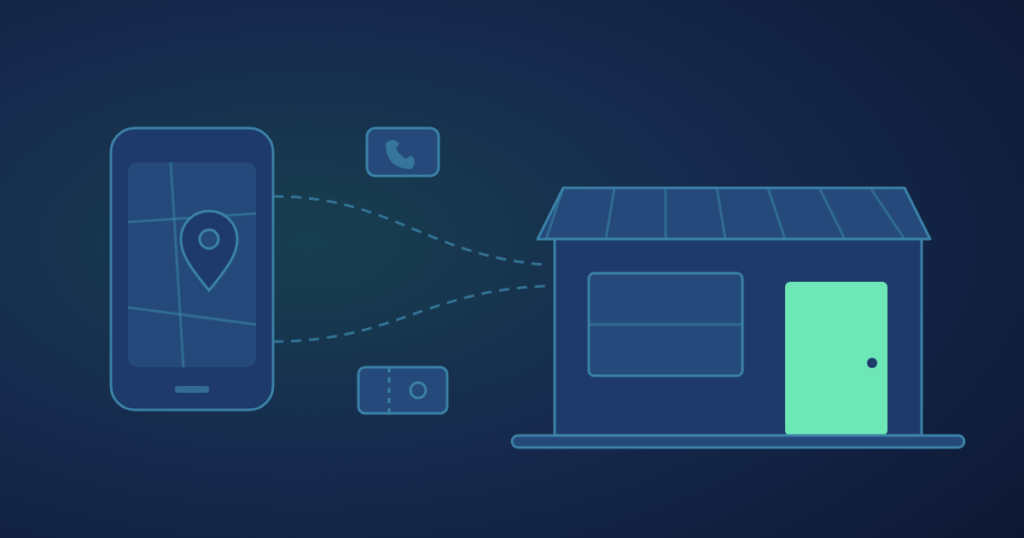
They can, but no method counts every visit. The honest approach is to agree a short list of visit signals before the campaign starts, such as calls, direction requests, offer redemptions and Google’s store visit estimates where an account qualifies, then read them location by location against a baseline.
A sale that happens at a counter leaves fewer traces than a sale on a website. Nobody types an order number into an ad platform when they walk in. So the question is not whether ads can bring people in, but which signals you will accept as evidence, and what normal looked like before the ads ran.
What can and cannot be measured
You can measure the actions people take on the way to a store, and some of what happens inside it; you cannot follow every person from an ad to the door. Someone may see an ad on their phone, mention it to a friend and walk in together a week later. No tool records that whole path.
What leaves a trace
- Calls from an ad or a map listing
- Direction requests to a specific location
- Messages and booking requests
- Offer codes and vouchers redeemed at the till
- Modelled store visits, for accounts that qualify
What usually does not
- A person who saw the ad and walked past later
- A visit made on a recommendation from someone who saw it
- A customer who drove there without asking for directions
- A purchase paid in cash with no code mentioned
Every signal on the left is a partial view. That is fine, as long as everyone agrees in advance which partial views count, and reads them the same way each month.
The visit signals worth tracking
Pick three or four signals that a real visit tends to leave behind, and write them down before any money is spent. Each has a different source and a different blind spot, so a short list works better than relying on one.
| Signal | What it tells you | Where it comes from | Limits |
|---|---|---|---|
| Direction requests | Someone planned a trip to one location | Google Ads local actions, Business Profile | Regulars rarely ask for directions |
| Calls | Someone wanted to check stock, hours or a price | Call assets, map listing, call tracking | Some calls are for other businesses or suppliers |
| Offer redemptions | A specific offer brought a buyer to the till | Your till or POS, staff tally | Only counts people who use the code |
| Messages and bookings | Someone asked a question or reserved a time | Messaging inbox, booking tool | Not every conversation becomes a visit |
| Store visit conversions | A modelled estimate of visits after ad interactions | Google Ads, eligible accounts only | Estimates; needs enough data to report |
Google describes its local actions as engagements such as clicking the call or directions button for your store, during or after an ad interaction. According to Google’s help page on local actions conversions, they are available to all advertisers with active location assets, and the default click-through window is 30 days.
Tip: keep the signals you judge by separate from the signals you merely watch. Impressions, reach and clicks are useful for running the campaign, but they are not evidence of a visit.
Google store visit conversions: who qualifies
Store visit conversions are modelled estimates that Google reports automatically for accounts that meet its eligibility criteria. Google explains on its help page on store visit conversions that visits are connected to ad engagements using anonymous, aggregated statistics from signed-in users who have turned on location history, which are then extrapolated to represent the broader population of your customers.
The criteria Google lists now:
- Your stores are in places where Google offers store visits reporting
- The locations are not considered sensitive, such as locations related to religion, children or certain health issues
- Your ads use location assets or affiliate location assets, switched on and opted in at campaign level
- Your ads have enough clicks or impressions, and your stores enough foot traffic, to pass Google’s privacy thresholds
- If you use a Business Profile, every store location in it is set up and verified
- You bid for store visits or store sales, not both at once
Google adds that the thresholds vary by advertiser, that more locations make it more likely an account will have enough data, and that eligibility is assessed separately for Search, Display and YouTube. Many single-store businesses will not reach the thresholds, which is why the other signals on the list matter.
Worth knowing: when an account qualifies, Google creates a “Store visits” conversion action automatically and adds the visits to the “All conversions” column. Read them as one estimate among your agreed signals, not as a headcount.
Set a baseline before any spend
A lift can only be shown against a normal that was recorded before the campaign started. Without one, a busy month after launch could be the ads, a payday, a new product or the weather.
- Choose the signals Agree three or four from the table, plus the records you already keep: till transactions, bookings, footfall counter if you have one.
- Record several weeks of normal Capture each signal per location, week by week, before anything changes. The longer the stretch, the steadier the average.
- Note what else is happening Write down promotions, price changes, staffing gaps and local events, so a jump is not credited to the wrong cause.
- Fix the comparison in writing Decide whether you will compare against the weeks before, the same weeks in another location, or both.
- Read after the campaign, not during the first days Early numbers move a lot. Judge on the full test period against the baseline.
This is how we run store visits work: visit signals are captured per location before anything changes, and the monthly report leads with visit-signal lift against that baseline.
Offer codes and in-store redemptions
An offer that can only be redeemed by mentioning the ad is the closest thing to a receipt for an in-store visit. It turns a walk-in into a line in your own records.
One code per channel
Use a different code for map ads, social ads and email, so redemptions show which route people came by.
Logged per store
Make sure the till records which location redeemed each code. A total across stores hides the useful part.
Easy at the counter
Staff should know the code, ask for it and enter it the same way every time. A tally sheet works where the till cannot.
Redemptions undercount, because many people who came in because of an ad will not mention a code. That is acceptable: the point is a clean, comparable number, read against the same offer run without ads, or in a location where the ads did not run.
Agree what counts as a visit before the campaign starts, and the result is a reading, not an argument.
Read every location on its own
Each store has its own catchment, competition and staff, so each needs its own reading before any total. A blended number lets one strong store hide a weak one, and it hides where the next dollar should go.
The practical habit is simple: one row per location, the same agreed signals in each, and the baseline beside them. If one store trails, look at it on its own before moving budget: its search terms, its map listing, its reviews and the radius the ads cover.
Agree the visit signals before the spend
Our store visits work starts with the signals and the baseline, agreed with you in the first month, and reports every location on its own before any average.
What a jeweller’s first map campaign showed
A first campaign measured on agreed signals can be most useful for what it reveals, even when foot traffic does not move. A fine jewellery house with three boutiques had never advertised its locations on Google. Its first map campaign ran separate location campaigns for two boutiques, linked to their business profiles and measured on directions, calls and location views.
Reading the two boutiques separately mattered. One produced 1,360 local interactions at $0.38 each; the other 213 at $1.02. A combined figure would have hidden that one boutique was doing most of the work.
The client was clear that foot traffic did not change noticeably in those 20 days, and the report said so. The search terms explained why: people found the boutiques under generic searches and competitors’ names, never the house’s own name. The next step became building a name worth searching for, with tighter keyword matching and a website proposal, rather than more map ads.
A coffee-house chain shows a different set of signals. When it launched a drive-thru, the campaigns ran on Meta and YouTube, and the signal counted was conversation: 436 message conversations in one month, with the best ad at $2.63 each. Messages are not visits, but they were a signal the team could count, and compare from one campaign to the next. If you are still choosing where to start, our comparison of Google Ads and Meta ads covers the trade-offs between the two.
Both cases depend on a listing people can find. If yours needs work first, our guide to showing up in map results and the Google Business Profile and reviews kit cover the groundwork.
In short
- No single method counts every visit; agree three or four signals in advance
- Record a baseline per location before the first dollar is spent
- Use offer codes so some visits land in your own till records
- Treat Google’s store visits as modelled estimates, where the account qualifies
- Read each location on its own before any total
What store owners ask about measuring visits from ads
Can Google really tell if someone visited my store?
Not person by person. Google estimates visits from anonymous, aggregated data from signed-in users who have location history turned on, then extrapolates to your wider customer base, and only for accounts that meet its thresholds.
Do Meta ads bring people into stores?
They can, especially by reaching people who live or work near a location. Judge them on the same agreed signals as any other channel, such as messages, offer redemptions and the change against your baseline.
How long should a test run?
Long enough to cover several full weeks, so that busy and quiet days both appear, and compared with a baseline of similar length. A short test mostly shows early cost trends, not a settled change in visits.
Does this work with only one store?
Yes. A single store may not qualify for Google’s store visit estimates, so lean on calls, direction requests, offer codes and your own till records, compared with the weeks before the campaign.
Do we need till or POS data?
It helps a great deal, because it is your own record of what happened. Even a daily transaction count per location, or a staff tally of offer codes, is enough to compare against a baseline.