

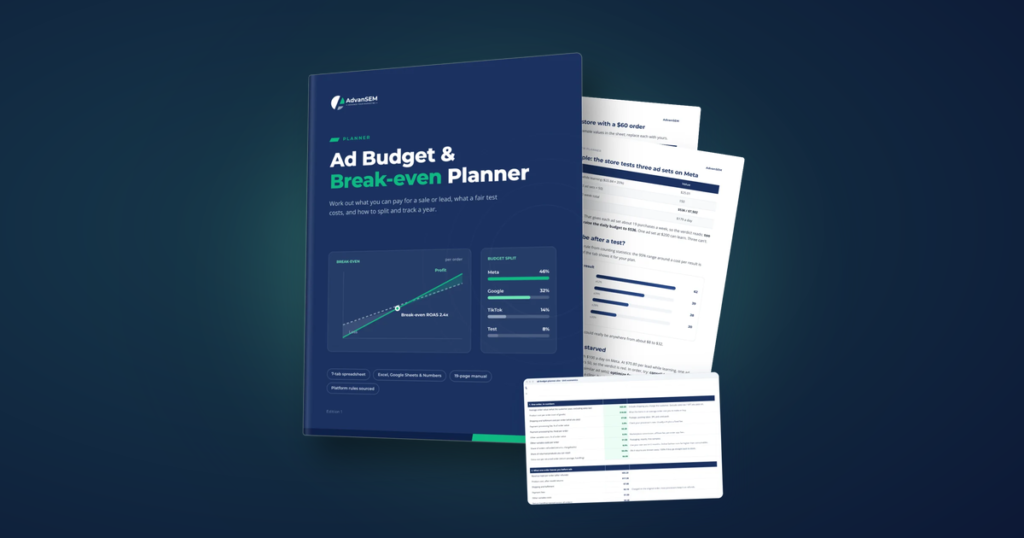
The Ad Budget Planner turns your own costs, refunds and margins into the most you can pay for a sale, a lead or a booking, then sizes test budgets the ad platforms can actually learn from and spreads a 12-month plan across up to five platforms. It is a 7-tab spreadsheet with a 19-page manual, and the first pass takes about an hour.
Picture an online store owner on a quiet Sunday, looking at a dashboard that says the ads returned 2.5 times what they cost. It sounds good. Nobody can say whether it is. Refunds, shipping and payment fees have never been part of the sum, and next month’s budget is about to be set the usual way: a round number that feels right.
That moment is common because most budgets start from a figure, not from the business. The harder questions arrive later, once the money has gone.
The questions a round-number budget can’t answer
A budget set by feel works until someone asks why. Then the gaps show, and they tend to be the same ones.
Is this ROAS any good?
A return of 2.5 means nothing until you know the return at which you stop losing money.
What is one lead worth?
A low cost per lead can still lose money if few leads turn into customers.
Why do tests never settle?
$100 a day split across five ad sets rarely gives any of them enough results to learn.
How do I defend the number?
A budget picked by gut is hard to explain to a partner, a manager or a bank.
Benchmarks do not fill the gap. Every article quotes a typical cost per sale, and none of them knows your margins. Two businesses with the same cost per sale can be in opposite positions: one making money on every order, the other paying to stay busy.
Start with the number that decides everything
The planner starts where a sound budget starts: with what one order actually leaves you after the variable costs. From that, two lines follow. The break-even line, where ads pay for themselves and no more, and the target line, where they also leave the profit you want.
If an order keeps 50% of its value after product, shipping, fees and returns: 1 ÷ 0.50 = 2.00. Below that, every sale costs you money.
Try the same idea with your own numbers. This is a small version of the planner’s first tab.
Break-even and target ROAS
Type the costs of one typical order.
Illustrative defaults. Nothing you type is saved or sent anywhere.
The full planner goes further than this. It counts repeat orders, so a first sale that only breaks even can still be worth buying, and it has a separate tab for lead and booking businesses that works back from the sale through qualification, show and close rates to the most you can pay per lead.
Why a test budget can be too small to learn
Knowing your target is half the job. The other half is giving the ad platforms enough budget to find it. Each platform publishes its own guidance on how many results a campaign or ad set needs before its delivery settles, and a budget spread too thin never gets there.
Worth knowing: On Meta, an ad set usually leaves the learning phase after about 50 results in the week after its last significant edit, according to Meta’s Business Help Center. Five ad sets on one small budget can mean five that never settle.
The planner’s test budget tab holds the learning rules for Meta, Google, TikTok, Snapchat and LinkedIn, each with its source link and each in an editable cell, so you can update it when a platform changes its advice. Type the ad sets you want to run and it tells you whether the budget can feed them, or how many to cut. It also shows how to size a first test when you have no history at all.
A budget is not a number you pick. It is a number your margins allow.
What is inside the planner
Green cells are inputs and everything else is a formula, with example numbers already in place so you can see how it behaves before you type your own.
The planner (spreadsheet, 7 tabs)
- Start here, Unit economics and Lead economics
- Test budget, with five platforms’ learning rules
- Monthly plan and Scenarios: cautious, base and good
- Plan vs actual, with a green, amber and red tracker
The manual (PDF, 19 pages)
- Six chapters on the thinking behind each tab
- An online store, a service business and a clinic worked through
- Two checklists and a worksheet
- The common budget mistakes, and what they cost
It opens in Excel, Google Sheets and Apple Numbers, with no macros, no add-ons and no account to create.
An hour now, 15 minutes a month after
- Your economics, about 20 minutes Fill in Unit economics for online sales, or Lead economics for leads and appointments.
- Your first test, about 10 minutes The Test budget tab tells you whether your budget can feed the ad sets you want.
- Your year, about 15 minutes Spread the budget across months and platforms, then compare the cautious, base and good scenarios.
- Every month, about 15 minutes Type real results into Plan vs actual and write down one decision per platform.
That last step is where the habit forms. A monthly review that ends in one clear decision per platform is easier to keep than a dashboard you check every day and act on never.
See the planner’s tabs before you start
The planner page shows every tab and the manual’s chapters, with a free sample covering the four numbers behind every ad budget, the online store example and the ROAS ladder.
What the numbers looked like for real businesses
Both projects below appear in the manual and are written up on our site.
The second number is the one that changes how you see a cost per lead. Two leads at the same cost can be worth very different amounts, which is why the planner prices leads from what they turn into, not from what they cost.
Who the planner is for
A good fit if
- You run an online store and advertise on Meta, Google or TikTok, or are about to start
- You generate leads or bookings, for example a clinic, studio, home services or B2B firm
- You need to defend a budget to someone else
Not the right tool if
- You want creative, targeting or campaign-structure advice
- You run app-install or awareness budgets judged on reach
- Your team already uses media-mix modelling
For the thinking behind the numbers, our guides on break-even ROAS and what counts as a good cost per lead go deeper.
What business owners ask about the Ad Budget Planner
Do I need past ad data to use it?
No. Your target comes from your own economics, and the manual shows how to size a first test with no history.
Does it work for leads and appointments, not just online sales?
Yes. The Lead economics tab works back from the sale through your qualification, show and close rates to the most you can pay per lead. The manual walks a service business and a clinic through it.
What if a platform changes its learning guidance?
Each platform value sits in an editable cell next to its source link, so you can update it yourself.
Will it open in my spreadsheet app?
Yes. It opens in Microsoft Excel, Google Sheets and Apple Numbers, with no macros or add-ons. In Numbers the status colours drop, but the status words stay.